Start by confirming the final length, width, height, board thickness, wrapping material, box style, and opening structure. Also check whether the package includes a separate lid, tray, sleeve, insert, or interior panel. Each component may require a different artwork layout. You should also confirm which surfaces will receive printing. Some projects require printing on the exterior only, while others include the inside of the lid, side panels, tray, sleeve, or additional components. Having these details before designing prevents artwork from being prepared for the wrong surface. Preparing artwork for custom rigid box printing requires both creative planning and technical accuracy. A design may look perfect on a computer screen, but the final box also has cuts, folds, wrapped edges, corners, turn-ins, overlaps, and assembly points that can affect the finished appearance. For businesses planning custom rigid boxes, preparing the artwork around these physical details can help reduce production problems and unnecessary revisions.
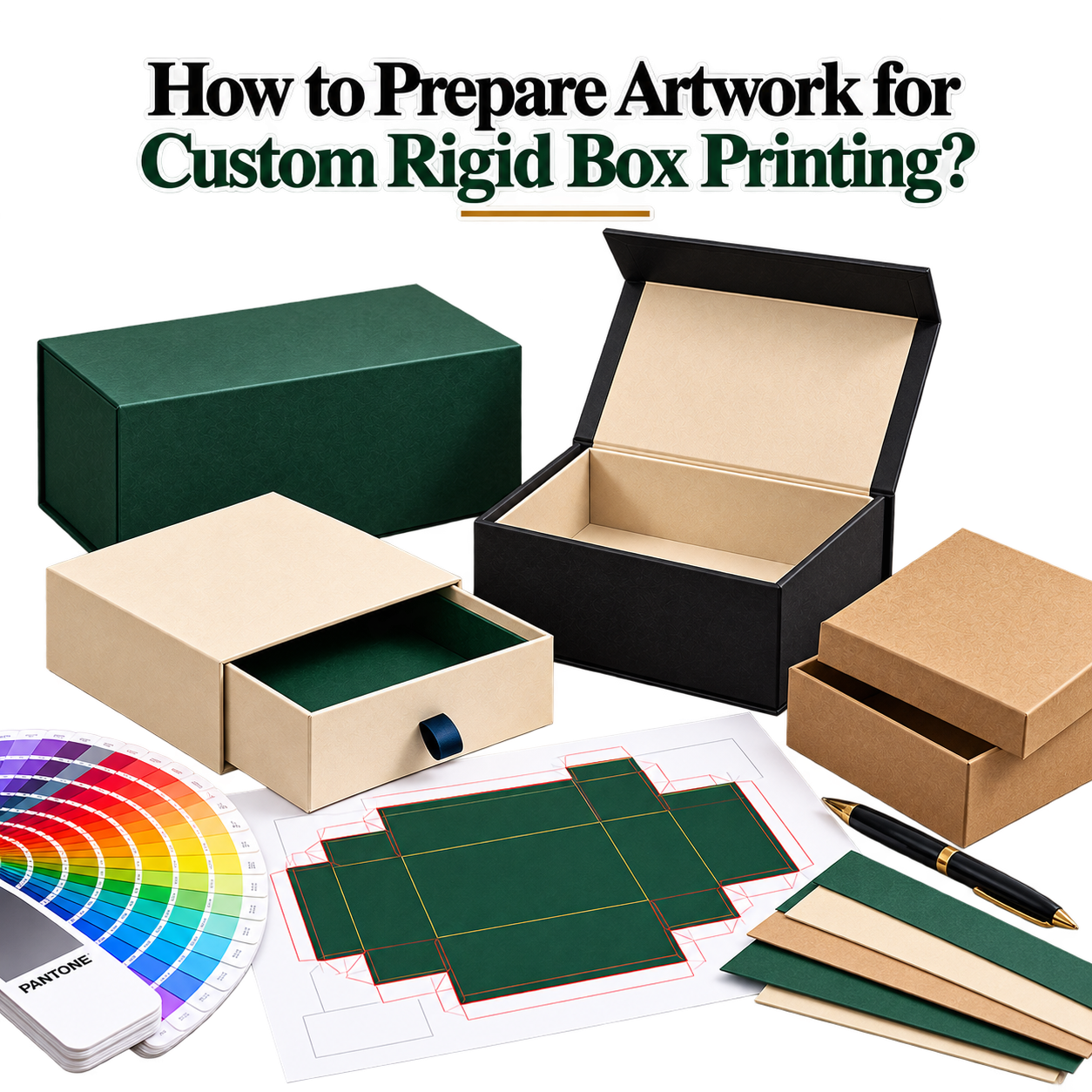
The approved dieline should be the foundation of the artwork. It shows the areas affected by cutting, folding, wrapping, and assembly. Keep the dieline on a separate non-printing layer so structural guides do not accidentally appear on the final printed box.
Do not change the dimensions of the dieline without approval. Even a small structural change can affect the position of the artwork after the box is assembled. For drawer-style packaging, the artwork must also account for the relationship between the sleeve and the inner tray. Designs for Rigid Drawer Boxes should therefore be planned around the complete assembled structure.
Bleed provides additional artwork beyond the final cutting area. Cutting processes can have small tolerances, so a background that ends exactly at the cut line may leave a thin unprinted edge after production.
Extend background colors, patterns, photographs, and textures into the required bleed area. However, do not place important information inside the bleed. Logos, product names, instructions, and other essential elements should remain within the recommended safe area.
Keep important design elements away from cuts, folds, corners, seams, and wrapped edges. A safe area gives the artwork enough distance from structural points that can affect the final appearance.
Logos and headlines should remain comfortably inside the safe area. Small text requires additional care because even a minor shift toward a fold or corner can affect readability. Before exporting, check spelling, product names, measurements, ingredients, instructions, and other printed information.
Rigid boxes are different from flat printed sheets because the wrapping paper moves around the board structure. At the corners, the material changes direction and may create a seam, overlap, or wrapped edge. These areas should be considered when positioning detailed graphics.
A continuous background can usually extend across these areas, but precise artwork such as thin borders, small text, faces, or detailed illustrations should not be placed directly over a critical corner unless the design intentionally accounts for the construction.
Turn-ins are areas where the wrapping material extends around the rigid board and folds toward another surface. Overlap areas occur where the material joins or covers another section during construction. These areas are important because artwork placed there may become partially hidden or change position after assembly.
Keep important logos, product information, and fine graphics away from turn-ins and overlaps unless the production design specifically requires them. Background artwork can extend through these areas when the supplied dieline and production specifications allow it.
For raster images such as product photographs and detailed textures, approximately 300 PPI at the final print size is a useful starting target. The image should contain enough actual pixel information for the size at which it will be printed.
A small image downloaded from a website may look sharp on a screen but become blurry when enlarged across a box panel. Avoid using low-resolution screenshots or heavily compressed images for important packaging artwork.
Vector files are generally suitable for logos, icons, illustrations, and other scalable graphics. They can be resized without the pixelation associated with raster images. Always follow the printer’s specific resolution requirements if they differ from the general 300 PPI starting point.
Color preparation should match the approved printing process. If the project requires CMYK printing, the artwork should be prepared according to the printer’s required CMYK workflow and color profile.
RGB colors displayed on a monitor can look different after conversion to print. Bright colors may change noticeably, while the selected wrapping paper, coating, or lamination can also influence the final appearance.
If accurate brand-color reproduction is important, confirm the required color specifications before completing the artwork. Do not rely only on the appearance of the design on your monitor.
Use high-quality vector logos whenever possible. Check every logo at its actual printed size and make sure it has enough contrast against the selected background.
Fonts should be embedded correctly or converted to outlines according to the printer’s requirements. Converting fonts to outlines can help prevent missing-font problems when the artwork is opened on another production system.
Before outlining text, keep an editable backup of the original design file. This allows corrections to be made later without rebuilding the artwork from scratch.
Rigid packaging can use several structures, including two-piece boxes, drawer boxes, magnetic formats, book-style openings, and other custom constructions. Each structure changes how the artwork is divided across the packaging.
A luxury box may have several visible surfaces that need coordinated artwork. When preparing designs for Luxury Rigid Boxes, consider the exterior, interior, lid, base, side panels, and any additional components as one complete visual system.
If the box includes an insert, confirm the insert dimensions before finalizing the interior artwork. An insert can occupy part of the available space and may cover specific areas after assembly.
Interior artwork should therefore be positioned around the actual insert rather than a theoretical product size. This is especially important for premium products where the insert controls the product position during the opening experience.
Product-specific packaging needs artwork that matches the product’s dimensions and presentation requirements. A perfume bottle, for example, may require an interior insert and specific areas for the fragrance name, product information, branding, and decorative graphics.
For fragrance packaging, Rigid Perfume Boxes can require artwork that works across both exterior and interior surfaces. The artwork should be checked against the actual bottle, insert, and box structure before approval.
Finishing techniques such as foil stamping, embossing, debossing, and spot UV can require separate production information. These elements should not simply be mixed into the standard print artwork without clear identification.
When required, create separate layers or masks for each finishing process. For example, a foil mask should contain only the areas that need foil. An embossing mask should identify the elements intended for embossing.
Use clear layer names such as “Foil,” “Emboss,” “Deboss,” or “Spot UV” when requested by the production team. The exact file structure should always follow the printer’s specifications.
Before exporting the final artwork, review the complete design at its actual size. Check every panel, image, logo, headline, color, fold, corner, seam, and finishing element.
Also confirm that the artwork follows the approved dieline and that no important content has moved into a bleed, turn-in, overlap, or folding area. If the packaging contains several components, review each component separately and then review the assembled design.
A printer-approved PDF is commonly used for production artwork, but the exact PDF standard and export settings should come from the packaging provider. Do not assume that every printer uses identical PDF requirements.
Before exporting, make sure images are embedded or supplied according to the production workflow. Fonts should be embedded or converted to outlines as required. Bleed should be included, unwanted guides should be removed, and special finishing masks should remain separate when required.
Keep the original editable design file as a backup. The final production PDF should be clearly named so the production team can identify the correct version.
Yes. A digital proof can help identify errors in text, artwork position, colors, and finishing areas before production. For complex rigid packaging, a 3D mockup or physical sample can provide an additional check.
A physical sample is especially useful when the box contains wrapped corners, turn-ins, inserts, multiple panels, or a complex opening structure. It allows you to see how the artwork behaves after the packaging is actually assembled.
| Check | What to Verify |
|---|---|
| Box Size | Artwork matches the approved length, width, height, and structure. |
| Dieline | Correct production dieline is being used. |
| Bleed | Background artwork extends into the required bleed area. |
| Safe Area | Important text and logos stay away from cuts and folds. |
| Turn-Ins | Critical artwork does not fall into wrapping areas. |
| Corners | Detailed graphics are checked around wrapped corners. |
| Overlaps | Artwork is reviewed around paper overlap and seam areas. |
| Images | Raster images are approximately 300 PPI at final print size or meet the printer’s specification. |
| Colors | Color mode and profile match the approved printing process. |
| Fonts | Fonts are embedded or converted to outlines as required. |
| Finishing | Foil, embossing, debossing, and Spot UV masks are correctly prepared. |
| Spelling | All product information has been proofread. |
| Export | Final PDF or approved production format follows the printer’s requirements. |
| Proof | Digital proof, 3D mockup, or physical sample has been reviewed when required. |
Preparing artwork for custom rigid box printing requires attention to both design and construction. Start with the approved dieline and specifications, then plan bleed, safe areas, wrapping paper, turn-ins, corners, overlaps, images, colors, typography, and finishing requirements.
A final technical check should take place before exporting the production file. Reviewing a proof or physical sample can also help identify problems that are difficult to see in a flat design. When artwork and box construction are planned together, the finished packaging can remain consistent with the approved design.
If you are ready to discuss your box dimensions, artwork requirements, printing, materials, or finishing options, you can discuss your rigid box printing project with the packaging team and provide your exact production requirements.
Yes. Around 300 PPI at the final print size is a useful starting target for raster images, although the final requirement should follow the printer’s specifications.
Yes. A logo can be positioned near an edge when the design intentionally allows for the required safe area, but important branding should normally remain away from cuts, folds, corners, and turn-ins.
Yes. Foil and embossing can be combined when the production method supports both finishes. Separate masks or clearly identified artwork layers may be required.
Yes. A printer-approved PDF can be used when it follows the required export settings, bleed, color, font, image, and finishing specifications.
Yes. A physical sample can help you inspect the assembled structure, artwork alignment, colors, wrapping, corners, inserts, and finishing before larger production.